Your AI tools, captured per project
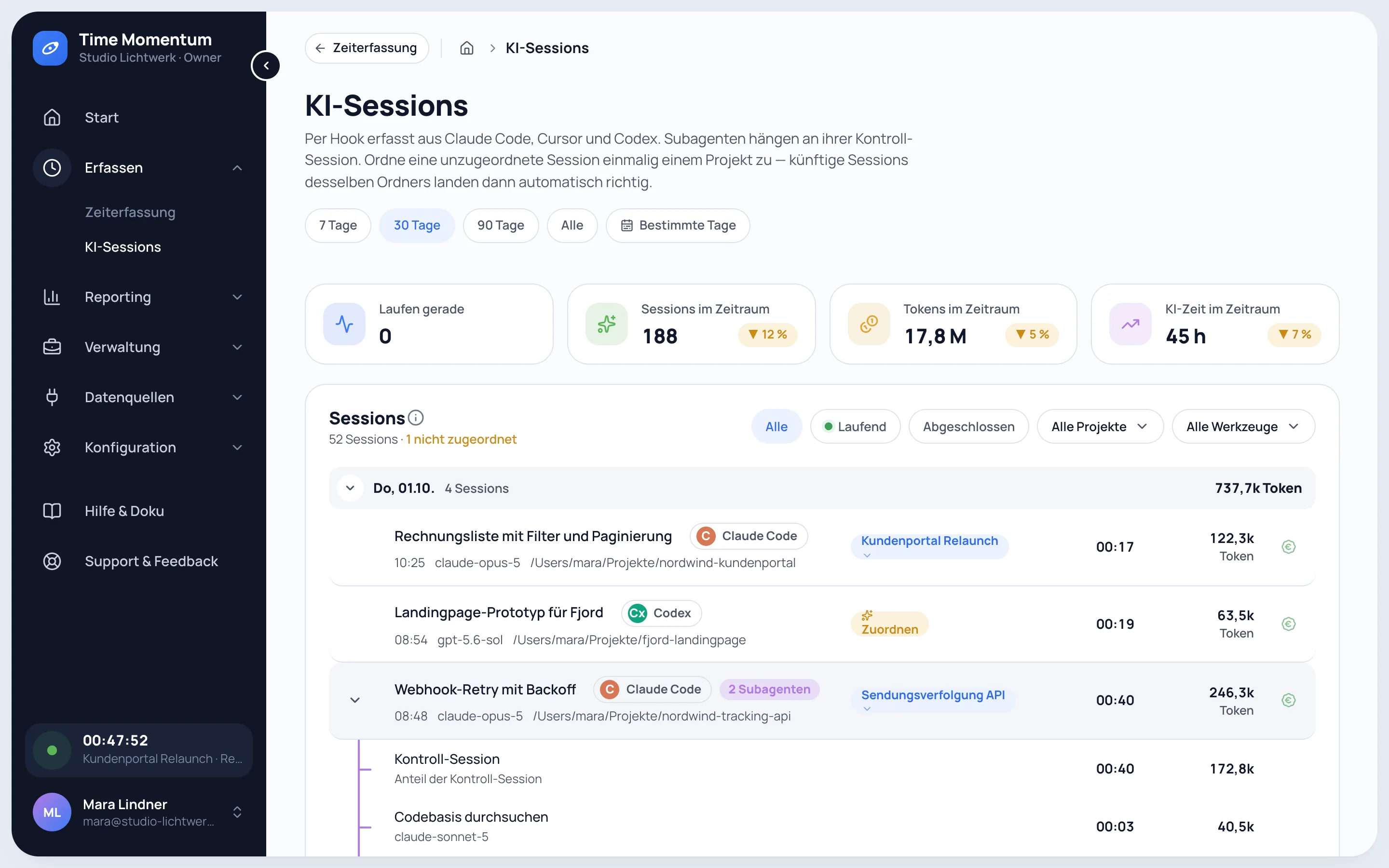
Time Momentum is an AI usage tracker for Claude Code, Codex and Cursor. The tm command line hooks into each tool and records every session with model, tokens and runtime, then assigns it to the right client project.
- 30 days of Pro
- No credit card
- Then continue on Free
Supported AI coding tools
Claude Code
Sessions, subagents, tokens incl. cache, active runtime and the commits made in a session.
Claude Code usage trackerCodex
Sessions, subagents, tokens incl. cache and active runtime, from the hooks and the local rollout.
Codex usage trackerCursor
Sessions with model and duration from Cursor's hooks, tokens fetched afterwards from your Cursor account.
Cursor usage tracker
What is captured per tool
| Captured | Claude Code | Codex | Cursor |
|---|---|---|---|
| Sessions, automatically | |||
| Model | |||
| Tokens incl. cache | partlyFetched afterwards from your Cursor account | ||
| Active agent runtime | partlySession duration only | ||
| Subagents as separate sessions | – | ||
| Session title | |||
| Past sessions on setup | – | ||
| Commits | From the session, plus GitHub | partlyVia GitHub | partlyVia GitHub |
Setup in one command
- Create an account and an API key in the app.
- Run
curl -fsSL https://app.time-momentum.com/install.sh | shon macOS or Linux (Node.js 22.14 or later). It installs the tm command line, asks for the key, detects Claude Code, Codex and Cursor and adds its hooks without touching your existing ones. - Past Claude Code and Codex sessions are imported right away, as far back as the tools keep them.
- Assign a folder or repository to a project once; sessions from there are assigned automatically from then on.
More integrations
- GitHub: commits from your repositories with files and lines changed, read-only and without source code.
- Elgato Stream Deck: start and stop timers per key, with the running time on the key.
- The tm CLI and the REST API: your own AI agents operate Time Momentum (Pro).
- E-invoices as XRechnung and ZUGFeRD; exports as CSV, Excel and PDF.
What leaves your machine
Prompts, responses and code never leave your machine. Time Momentum receives the model, tokens, runtime, working folder, repository and a session title. Where a tool keeps no title, the first prompt is sent shortened to 200 characters; Time Momentum turns it into a short title and does not store the prompt. You can switch off titles and folders entirely or exclude individual folders. The capture code is public in the npm package @time-momentum/cli.
See what your AI work cost last month
30 days of Pro, no credit card.
- 30 days of Pro
- No credit card
- Then continue on Free
Frequently asked questions
Which AI coding tools does Time Momentum support?
Claude Code, Codex and Cursor. Sessions from all three end up in the same projects, next to your working time.
Do I need a separate setup for each tool?
No. One command detects the tools on your machine and connects them. You can connect or disconnect a single tool later with tm collect tools.
What happens when I am offline?
Sessions are queued locally and sent once you are back online, without duplicates.
Does the AI capture cost extra?
No. It runs in full in Free as well; Free shows AI sessions and costs of the last 30 days, Pro the full history.