Know where you stand with every client.
What was ordered, what is used up, what is billed and what is paid: per client, project and order.
A CRM for agencies, AI agencies, developers and freelancers who work with AI agents every day.
- 30 days of Pro
- No credit card
- Then continue on Free
Every client in one place
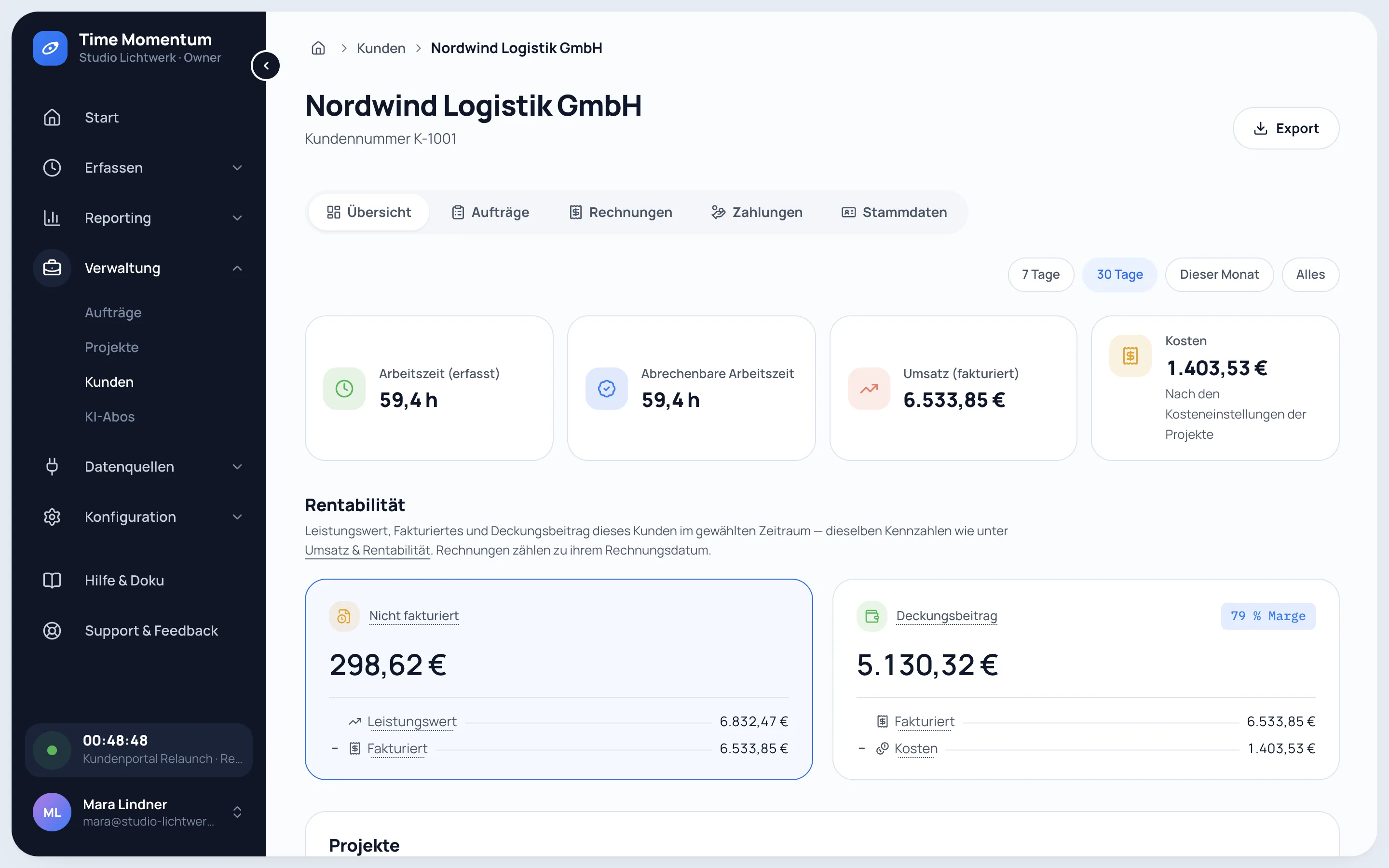
Hourly rate, payment terms and billing address per client. Projects grouped by client, each with its own figures.
Value of work, revenue, costs and margin per client and project. Fixed-price work shows its effective hourly rate.
Work done but not yet billed is ready per client. The invoice is built from it, as an e-invoice if needed.
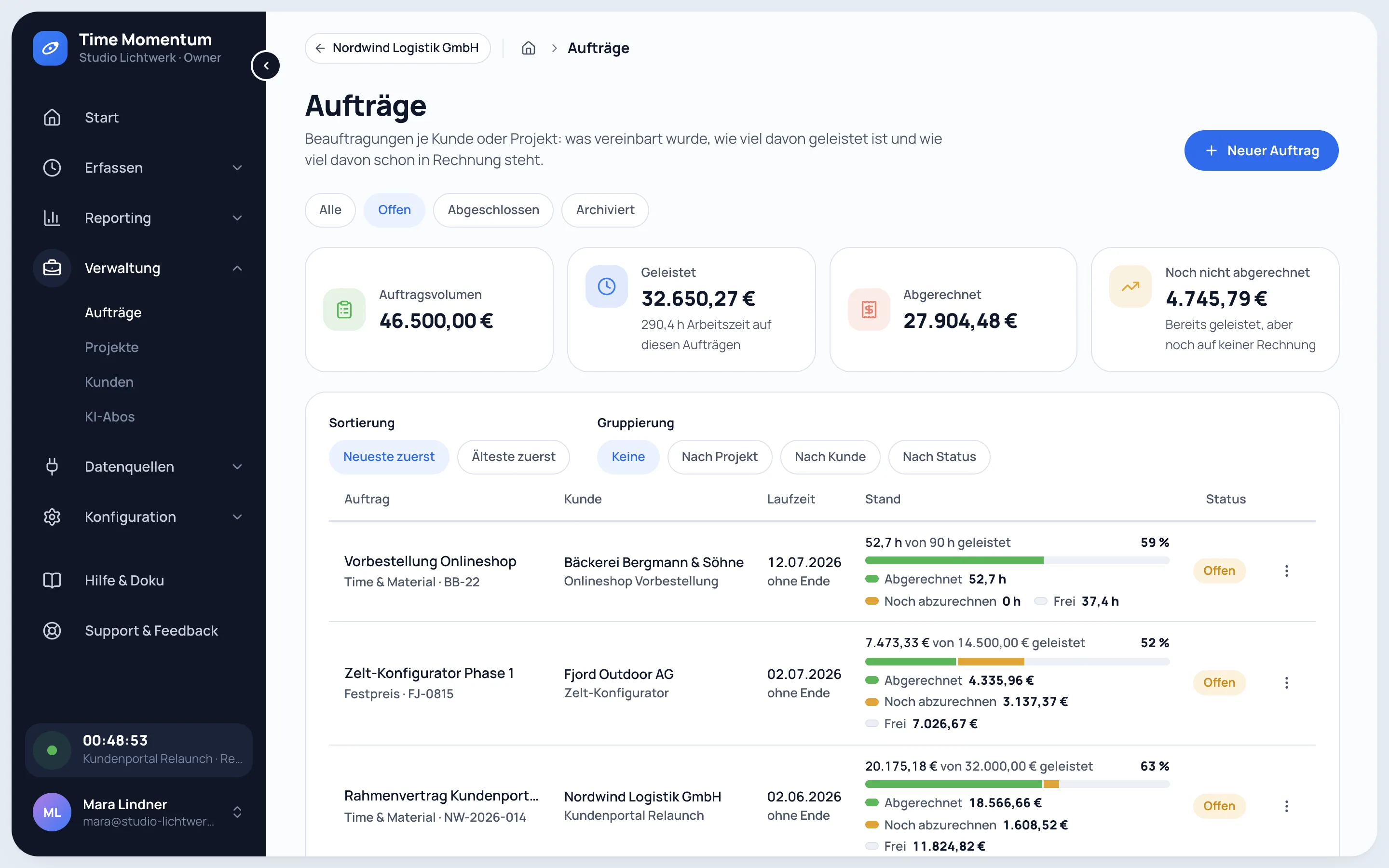
Orders with budgets and deposits
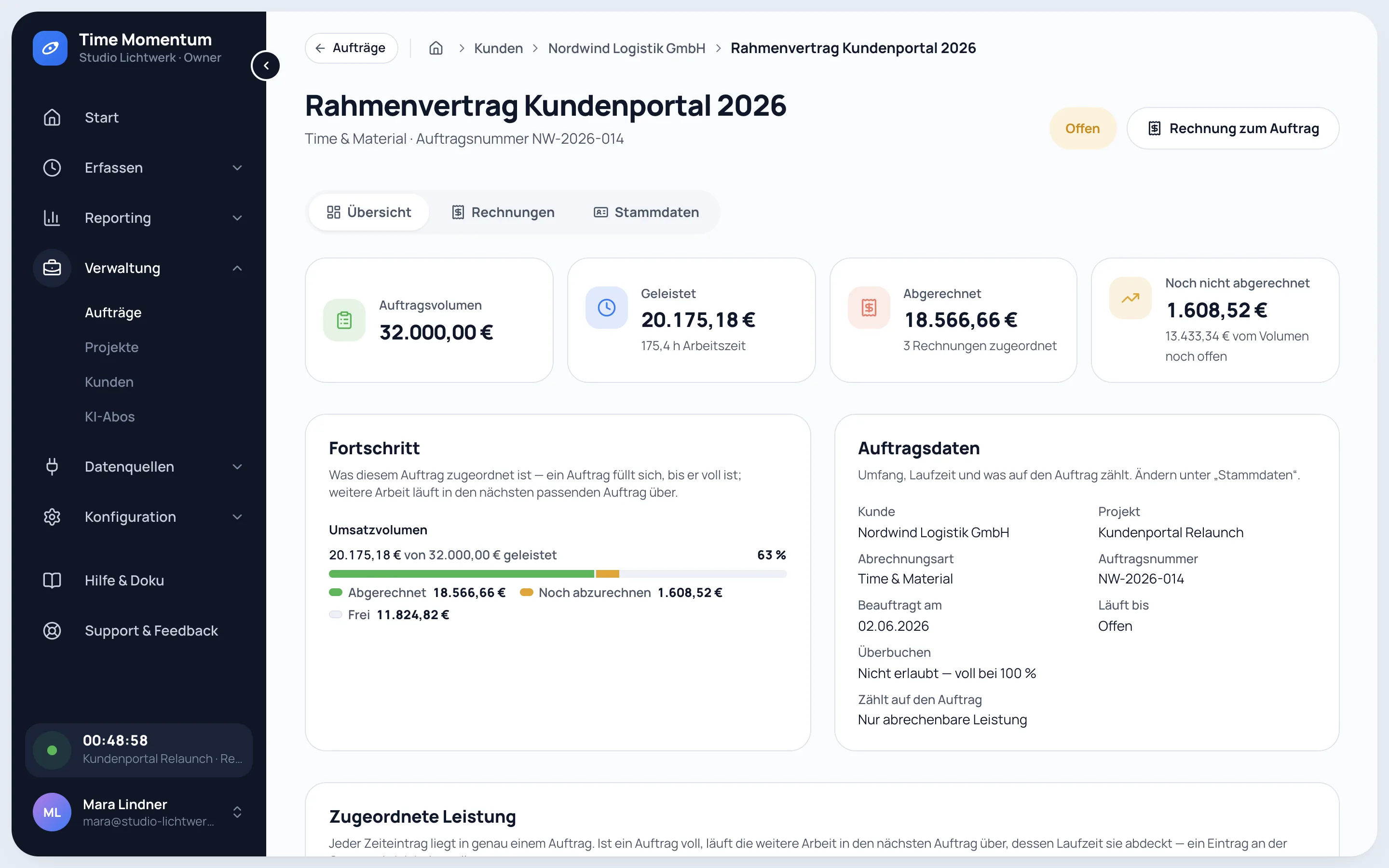
Time & materials or fixed price, with a volume, an hour budget or both, also across several projects of one client.
From 80 % usage the order appears on your home screen. At 100 % it asks you to agree an extension or close the order.
Agreed in the order as an amount or a percentage. When due, you are reminded of the deposit invoice; the next invoice deducts it.
Your day starts with what is due
The home screen of the app lists what needs action, most urgent first:
- Overdue invoices
- Deposit invoices that are due
- Orders at 80 % of their budget or more, the fullest first
- Last month's work that is ready to bill
- AI sessions and time entries without a project from the last 30 days
- Invoice drafts
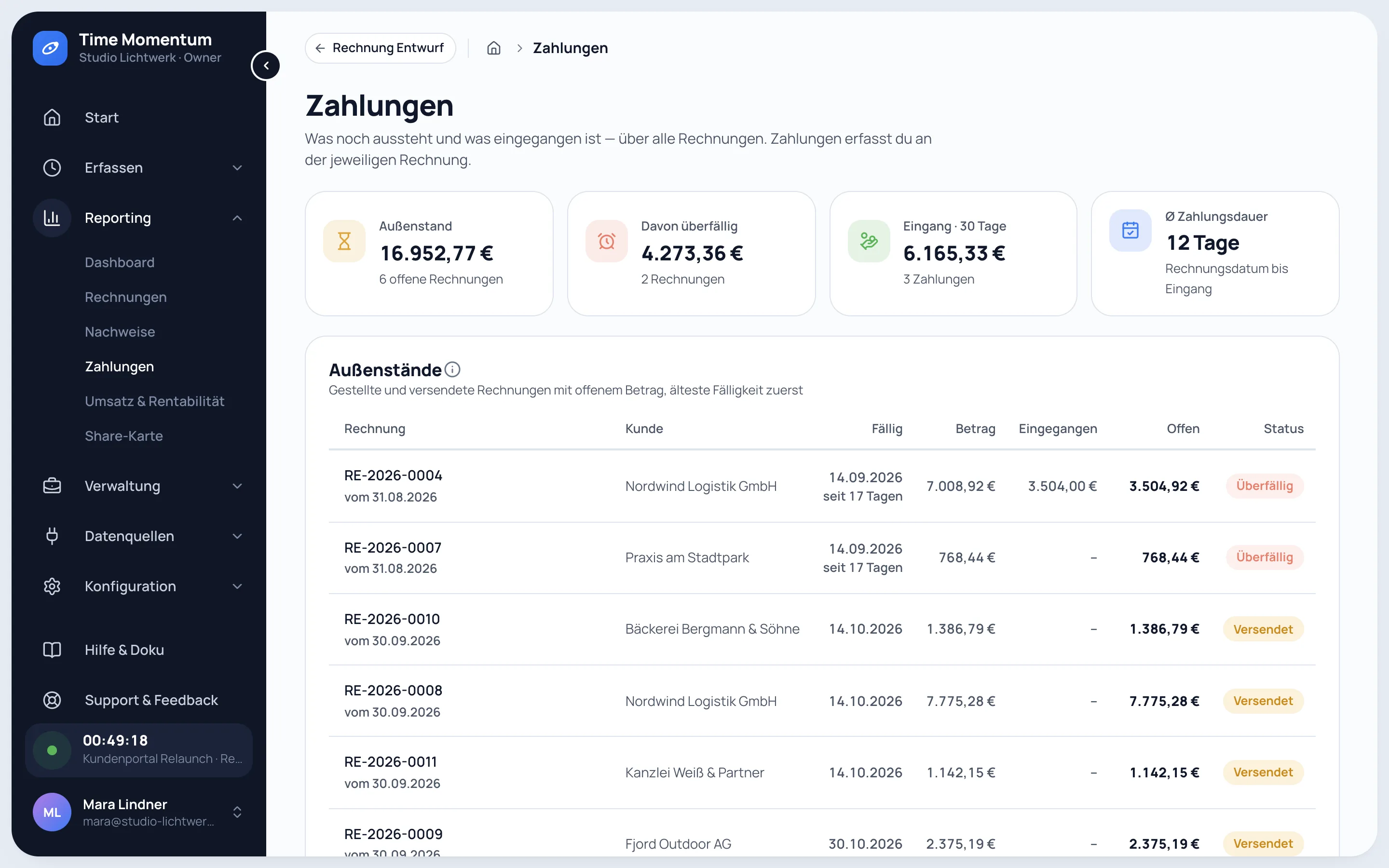
Payments and outstanding invoices
Record partial payments, split one transfer across several invoices and see what is overdue and how long clients take to pay.
A CRM for agencies and AI agencies
If you sell AI work to clients, you need the effort, the costs and the proof for every project.
Working time, agent runtime and commits land on the right project automatically.
AI work goes on the invoice as cost with a markup, by token volume or by runtime.
Client reports with working time, AI sessions and commits, attached to the invoice.
Your agents can run it too
- Which orders are nearly used up?
tm orders list --status open --progress - Create the deposit invoice for this order
tm orders advance-invoice <order-id> - Split this transfer across both invoices
tm payments split --paid-on 2026-10-10 --allocation <invoice-a>=1200 --allocation <invoice-b>=800 - What is still unpaid?
tm payments outstanding
Agent access is part of Pro.
AI agency pricing
Fixed price, retainer, time and materials plus AI costs or value-based: how AI agencies bill.
Read guide
Free and Pro
Orders, profitability, invoices, payments and client reports are part of Pro.
Try Pro for 30 days, no credit card. Afterwards you continue on Free automatically, with nothing locked and no data lost.
Try Pro for 30 days| Feature | Free€0foreverCapture and understand | Pro€15per user and month or €150 a year, 2 months freeBill, cost, disclose, automate |
|---|---|---|
| Unlimited time tracking | ||
| Full AI capture | ||
| AI reporting | last 30 days | full history |
| Commits | ||
| CSV export | ||
| Profitability and orders | – | |
| E-invoices and payments | – | |
| Timesheets for clients | – | |
| Agent access | – | |
| Create account | Try Pro for 30 days |
Frequently asked questions
What happens when an order reaches its budget?
Further work flows into the next matching order of the same client. Whether an order may be overbooked is set per order. There are no budget alerts by email.
How do deposits and the final invoice work?
The deposit is due on ordering or on a set date. One click creates the deposit invoice as a draft, and the next invoice for the order deducts it.
Can one order cover several projects?
Yes. An order can cover one project, several projects of the same client, which then share the budget, or all projects of the client.
Does it work without AI?
Yes. Timers, manual entries and corrections work without any AI share, so it is also time tracking with invoicing for classic client work.
Does Time Momentum send invoices or reminders?
No. You download the invoice and send it yourself, then mark it as sent. Overdue invoices show up under payments and on your home screen.
Does it replace my accounting software?
No. Receipts, tax returns and banking stay in your accounting software. Time Momentum covers everything up to the paid invoice.
Set up tonight, the last few weeks in view by tomorrow morning.
- 30 days of Pro
- No credit card
- Then continue on Free