What Cursor really puts into each project
Time Momentum is a Cursor usage tracker for client work: it records every agent session through Cursor's hooks and assigns it to the client project, next to your other AI tools.
- 30 days of Pro
- No credit card
- Then continue on Free
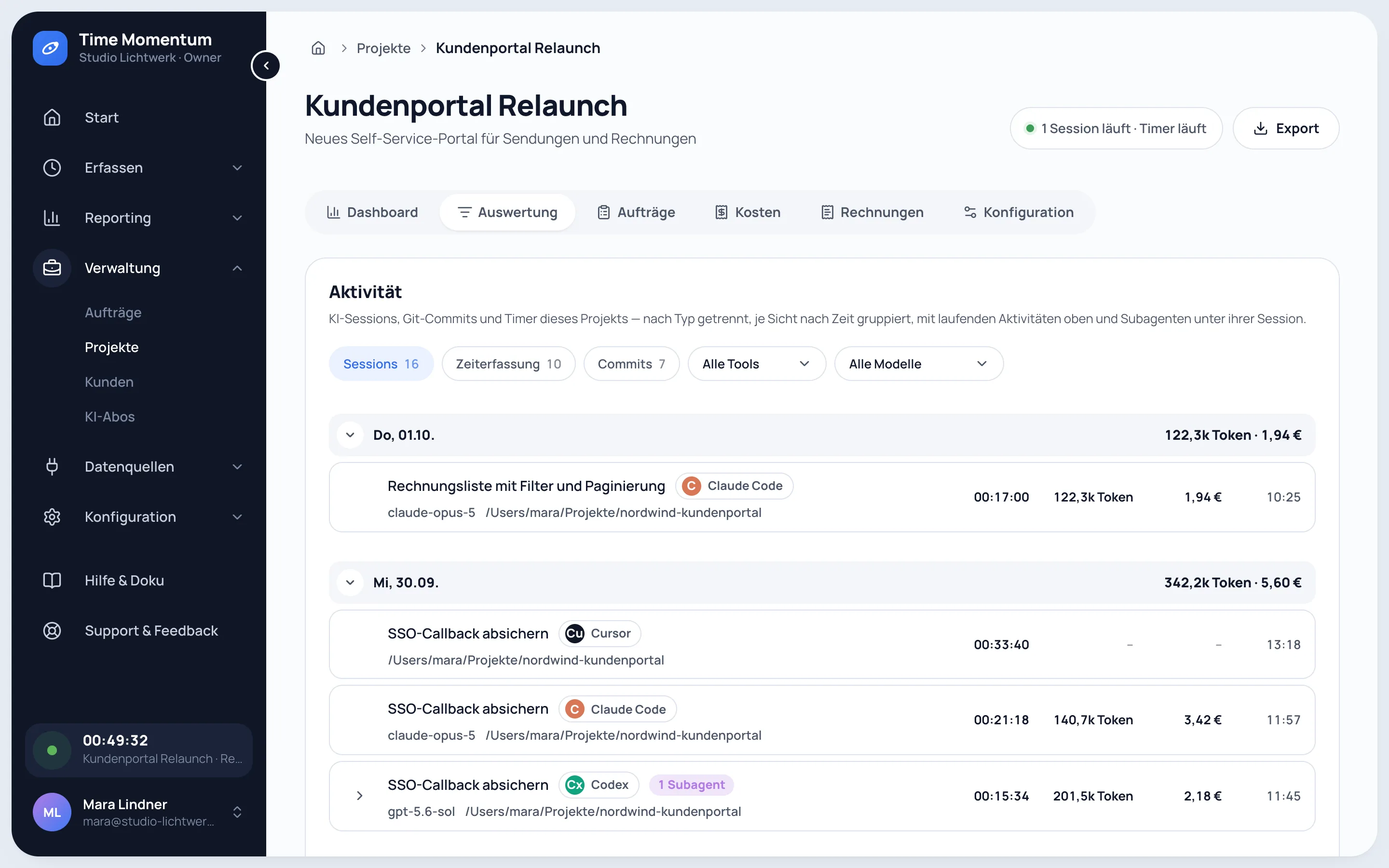
What is captured from Cursor
- Every agent session from start to end, with the model (Cursor 1.7 or later).
- A title per session: a short title from the first prompt, later the chat name Cursor assigns.
- The folders the session wrote to, for assigning it to the right project.
- Tokens and cost, fetched afterwards from your Cursor account (see below).
- Commits come in through the GitHub connection.
Where the numbers come from
Cursor's hooks report no tokens. The collector fetches them from cursor.com, the way Cursor's own usage dashboard shows them.
- It uses your local Cursor sign-in read-only. That credential only goes to cursor.com, never to Time Momentum.
- Usage is matched to a session by time. If two agents run at the same moment with the same model, part of it can land on the wrong session; the total is right.
- Cursor's interface is unofficial. If it changes, sessions keep being captured with their duration, just without tokens. You can switch the fetch off.
- There is no measured active runtime and no import of past sessions, because Cursor keeps no transcript to read.
From usage to the client
Models with a known list price are priced like in every other tool, Cursor's own models with the list price Cursor reports. On the invoice, Cursor work appears as cost with a markup or as a token quantity at your price; billing by runtime needs a measured active runtime, which Cursor does not provide. Passing AI costs on is part of Pro.
What leaves your machine
Prompts, responses and code never leave your machine. Time Momentum receives the model, tokens, runtime, working folder, repository and a session title. Where a tool keeps no title, the first prompt is sent shortened to 200 characters; Time Momentum turns it into a short title and does not store the prompt. You can switch off titles and folders entirely or exclude individual folders. The capture code is public in the npm package @time-momentum/cli.
See your Cursor usage per client
30 days of Pro, no credit card.
- 30 days of Pro
- No credit card
- Then continue on Free
Frequently asked questions
How is Cursor connected to Time Momentum?
The tm command line registers itself in Cursor's hooks (~/.cursor/hooks.json, Cursor 1.7 or later) and records every agent session automatically.
Do I see Cursor costs in euros?
Yes, once the tokens have been fetched from your Cursor account. Cursor sometimes books usage with a delay, so numbers can arrive a few minutes after the session.
What if fetching the tokens fails?
Sessions keep being captured with model and duration; only tokens and cost are missing. tm collect status shows whether the fetch works.
Can I analyze Cursor together with Claude Code and Codex?
Yes. Sessions from all three tools end up in the same projects.